This week is Privacy Awareness Week, so what better time to remind Australians to beware of scams.
With a marked increase in predatory scammers attempting to steal personal details and commit fraud, we’re reminding Australians to be extra vigilant about their online security.
“As we spend more time online, it is important we do not become complacent when it comes to online security as scammers prey on human emotions, like fear and uncertainty, to trick people,” says Darren Kane, Chief Security Officer at nbn.
Scammers are using the reliance on connectivity during the COVID-19 pandemic to mislead people into thinking their service over the nbn™ broadband access network will be disconnected if they don’t provide a ‘technician’ with online access to their computer.
“With scammers increasing their efforts to use COVID-19 to steal people’s personal or financial details, we are starting to see the emergence of nbn related COVID-19 scams, so we are working with agencies like Scamwatch to continue to monitor the situation and alert the community,” says Darren.
Tips for working securely at home
- Protect your work laptop or devices by only using them in secure areas and by locking the screen when you’re away from the device.
- Don’t allow family to use your work devices or passwords as they could accidentally erase or modify important work information, or unknowingly infect your device.
- Protect your home wireless network with a password and change the default administrator password on your home router using its instruction guide.
- Never reuse passwords – if one site is compromised then others are too. Consider a password manager if you’re finding it complicated to keep track of your passwords.
- Devices should never be left where others can see them (e.g. inside a car if you decide to duck down to the shops, or visible within a room if someone is walking past a window at street level.)
- Shred documents to dispose of them securely. If you don’t have access to a shredder, store the documents safely until you can return them to work and dispose of them in secure bins.
- It’s best to avoid using free Wi-Fi hotspots for work-related business. These are often unsecured and the data you transmit can be snooped on by others.
- If possible, enable multi-factor authentication (MFA) whenever possible. MFA uses your password, but also adds a second step, such as a code sent to your phone or an app that generates the code for you as an extra layer of security.
- Keep personal information safe by installing the latest software and updating apps to protect your personal devices from the latest threats.
“Working remotely means you are likely to be in a different environment than your usual office location, so it is important to not get complacent when it comes to the security of work devices and documents.
“It is important to not click on the links or attachments in suspicious emails and never respond to unsolicited messages. This is even more important for all of us that are working from home, as scammers are on the hunt for ways to get access and disrupt home and corporate networks.”
Tips for protecting against scammers
- Visit our website for information on how to identify and avoid potential scammers or for advice if you suspect you have been scammed.
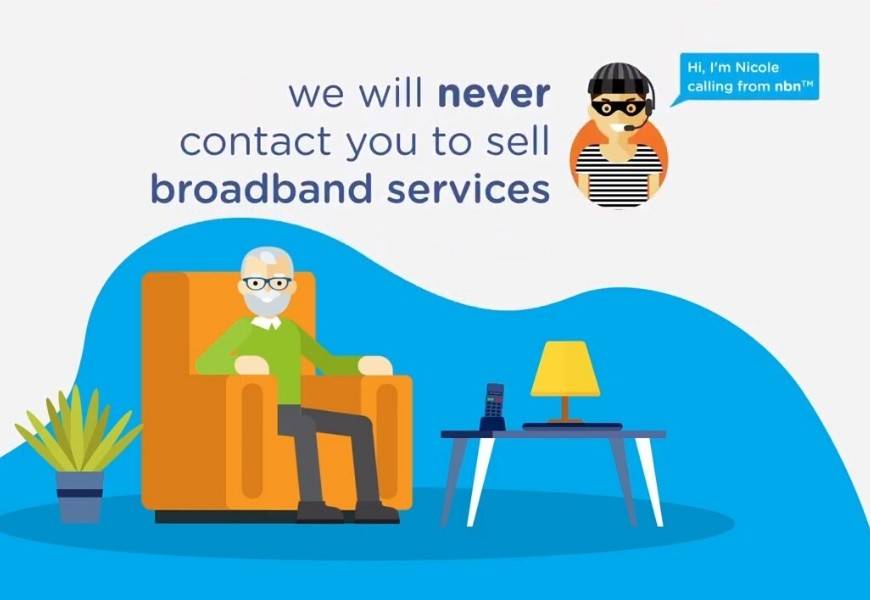
- Remember, nbn will never call and ask to access your computer or advise that you’re going to be disconnected. nbn is a wholesaler, which means we don’t sell phone or internet services directly to the public.
- Never give an unsolicited caller remote access to your computer or devices via the installation of programs, such as Team Viewer.
- nbn does not make automated calls, such as robocalls, to advise of disconnections to nbn or existing copper phone line services. Do not engage with these calls.
- Do not share your financial information (i.e. bank, credit card or gift card details) or personal details with an unsolicited caller or door knockers trying to seek payment for an nbn™ service.
- If in doubt, hang up and call your retail service provider on their official customer service centre number to check if the call is legitimate. Do not use contact details supplied by the caller.
Source: nbn