- Turn off your nbn™ modem and wireless router if you are using one.
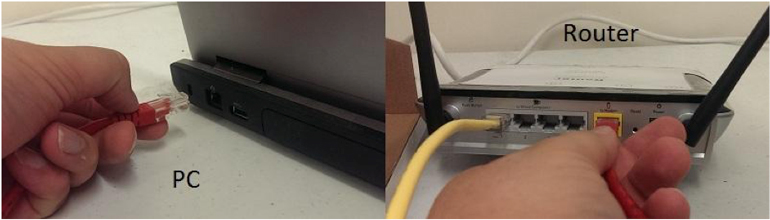
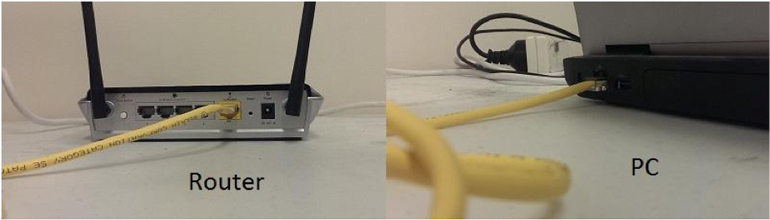
- Unplug the Ethernet cable (this may be a different color to the one pictured) that goes from the modem to the computer or if you are using a wireless router this cable will go from the modem to the back of the router.
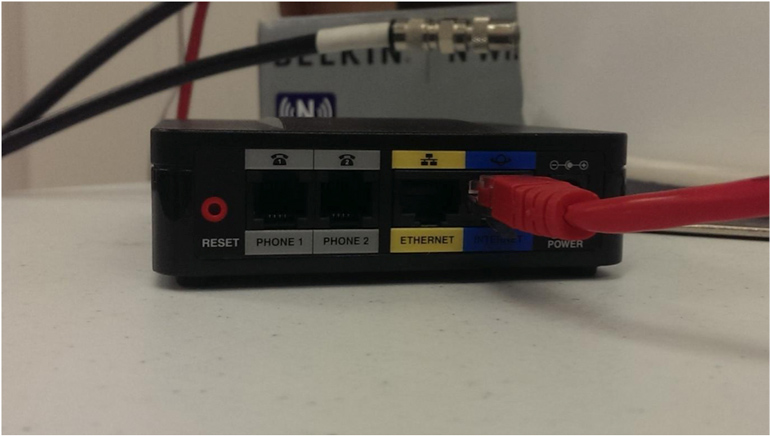
- Plug the Ethernet cable from Step 2 into the blue port on the back of the ATA that is labeled, “Internet.”
- Take the Ethernet cable that came with the ATA and plug it into the yellow port on the back of the ATA that is labeled, “Ethernet.”
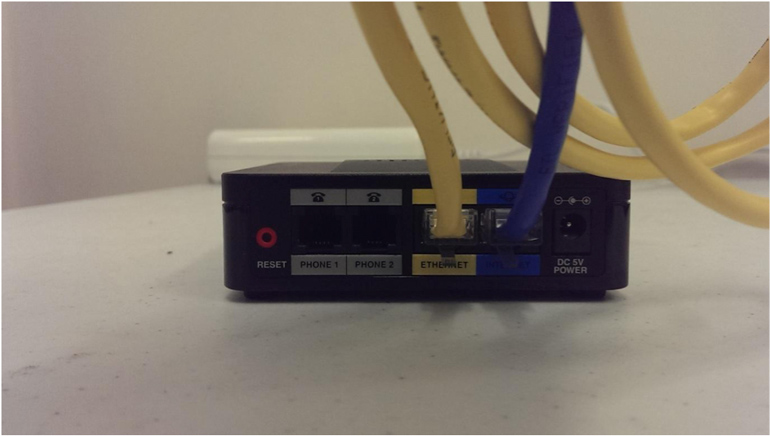
- Take the other end of the Ethernet cable used in Step 4 and plug it into the back of your computer or if you are using a wireless router plug it into the port on the router that is labeled, “modem/internet/WAN.”
- Turn the devices back on one at a time starting with the modem and then the ATA. If you are using a wireless router, turn it on last. Wait for each one to power up and all the lights to come on before moving into the next device.
Connecting your Cisco SPA122 SP